 CCViewer
GitHub
CCViewer
GitHub
How do I find the JSONL file location of a Claude Code session?
All session files live under one fixed directory: ~/.claude/projects/. If you know the sessionId, locating the file takes seconds; if you don’t, you can search by content or time.
First, understand the directory naming
Each subdirectory of ~/.claude/projects/ corresponds to one project (working directory). The name is derived from the project path: /, _ and other non-alphanumeric characters are replaced with hyphens -. For example:
Project path                       Session directory
/Users/you/Documents/my_app      →  -Users-you-Documents-my-app
/home/you/projects/shop-api      →  -home-you-projects-shop-api
Each session is one file: <sessionId>.jsonl (a UUID like 9a1b2c3d-…).
Case 1: you know the sessionId — just find it
find ~/.claude/projects -name "<sessionId>.jsonl"Where does the sessionId come from? The easiest way is to type the slash command /status in the conversation — the output includes the current Session ID. You can also get it from the claude --resume session list, error messages, or the "Session ID" field in the viewer’s sidebar.
Case 2: no sessionId — search by content
If you remember something from the conversation (e.g. your original question), grep for it:
# Search all sessions for a keyword, list matching files
grep -l "fix the login page" ~/.claude/projects/*/*.jsonl

# Search only one project directory
grep -l "fix the login page" ~/.claude/projects/-Users-you-Documents-my-app/*.jsonl
Case 3: find recent sessions by time
# List the 10 most recently modified session files
ls -t ~/.claude/projects/*/*.jsonl | head -10
The graphical way: let CCViewer do it
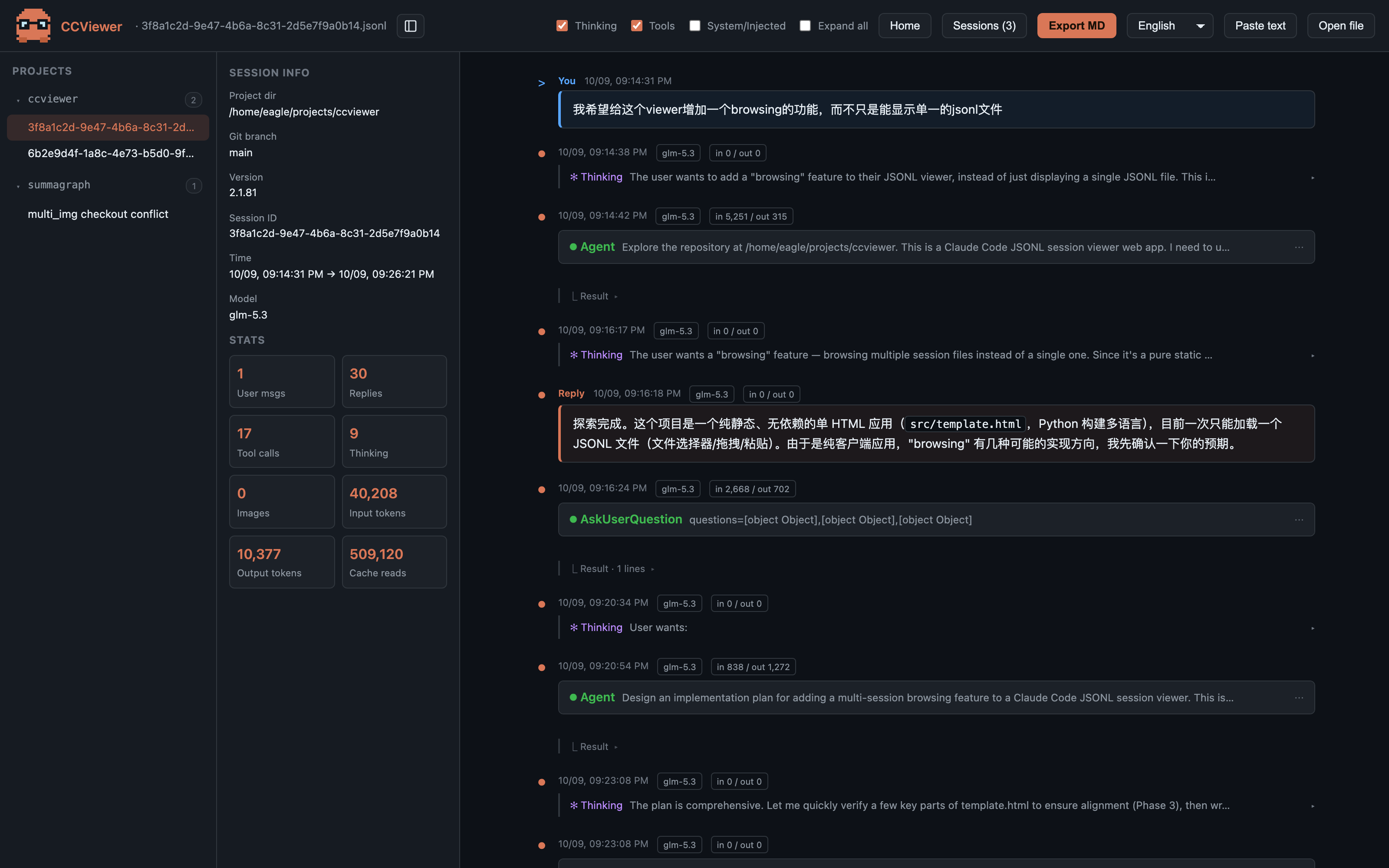
Don’t want to type commands? CCViewer lets you select (or drag in) the entire ~/.claude/projects/ folder: it scans all .jsonl files recursively, groups them by project, sorts by time, and shows each session’s title, path, time range, message count and cost — click to open, no need to know where the file is.
macOS tips: opening hidden folders
- In Finder press ⌘⇧G, type
~/.claude/projectsand hit Enter; - In file dialogs press ⌘⇧. to reveal hidden folders (directories starting with
.are invisible by default).
Open the page and drop in a
.jsonl file — or the whole ~/.claude/projects/ folder. Markdown rendering, thinking blocks, tool calls, token & cost stats, all processed locally in your browser. Nothing is ever uploaded.